
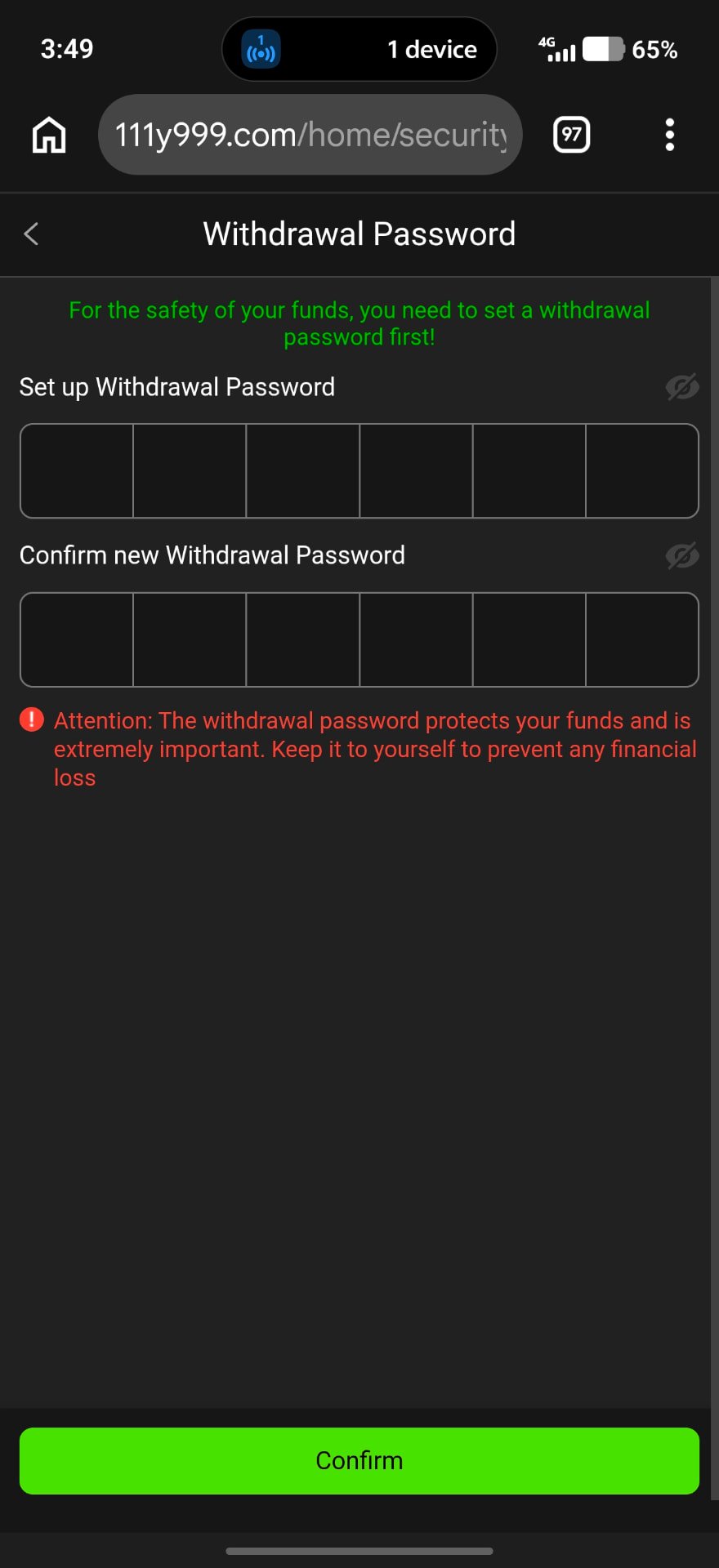
Step 1: Set a Withdrawal Password
Y999 shows: “For the safety of your funds, you need to set a withdrawal password first!” Enter 6 digits in Set up Withdrawal Password, repeat them in Confirm, and tap Confirm.
The app warns that this password protects your funds — keep it to yourself.
Withdrawal Steps
- 1
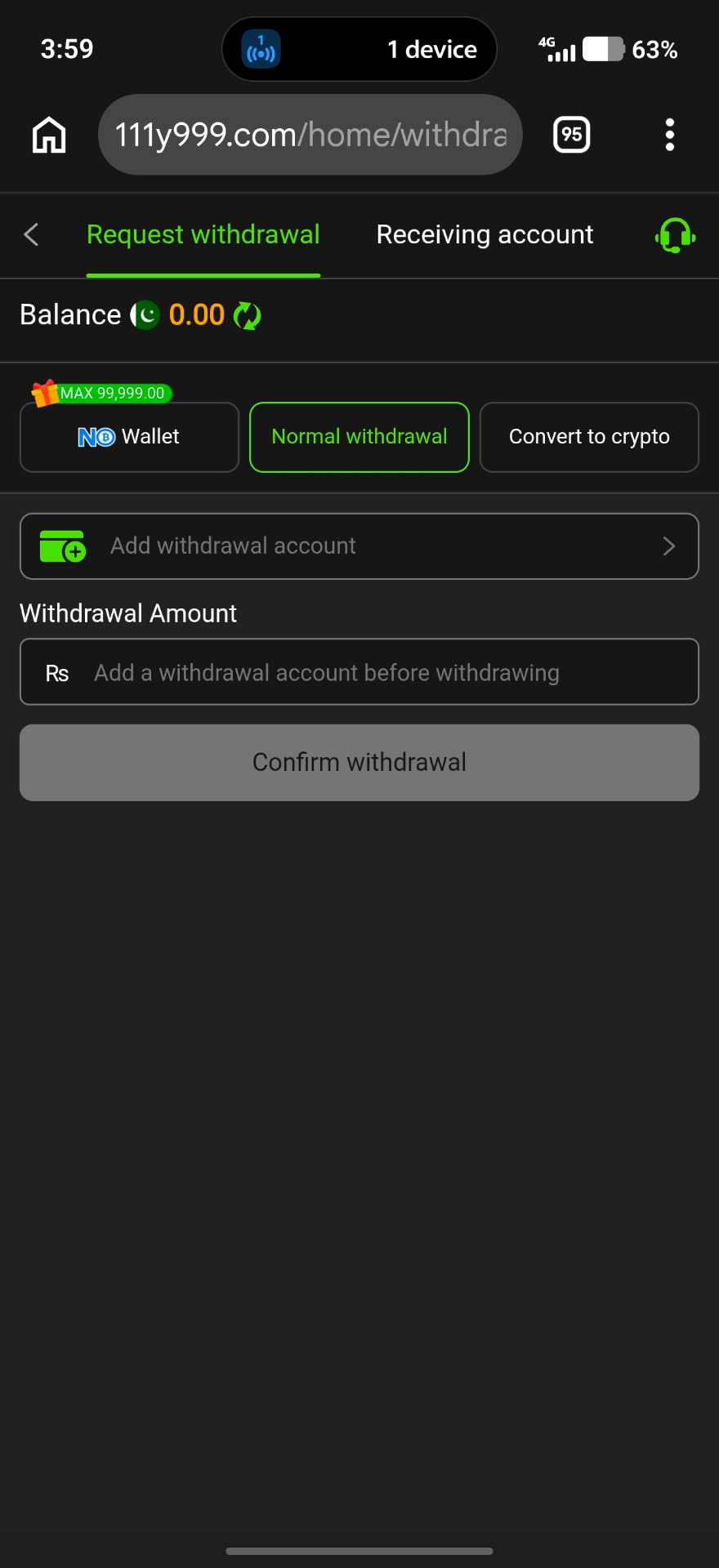
Open Withdraw
Go to Profile or Wallet and choose Withdraw.
- 2
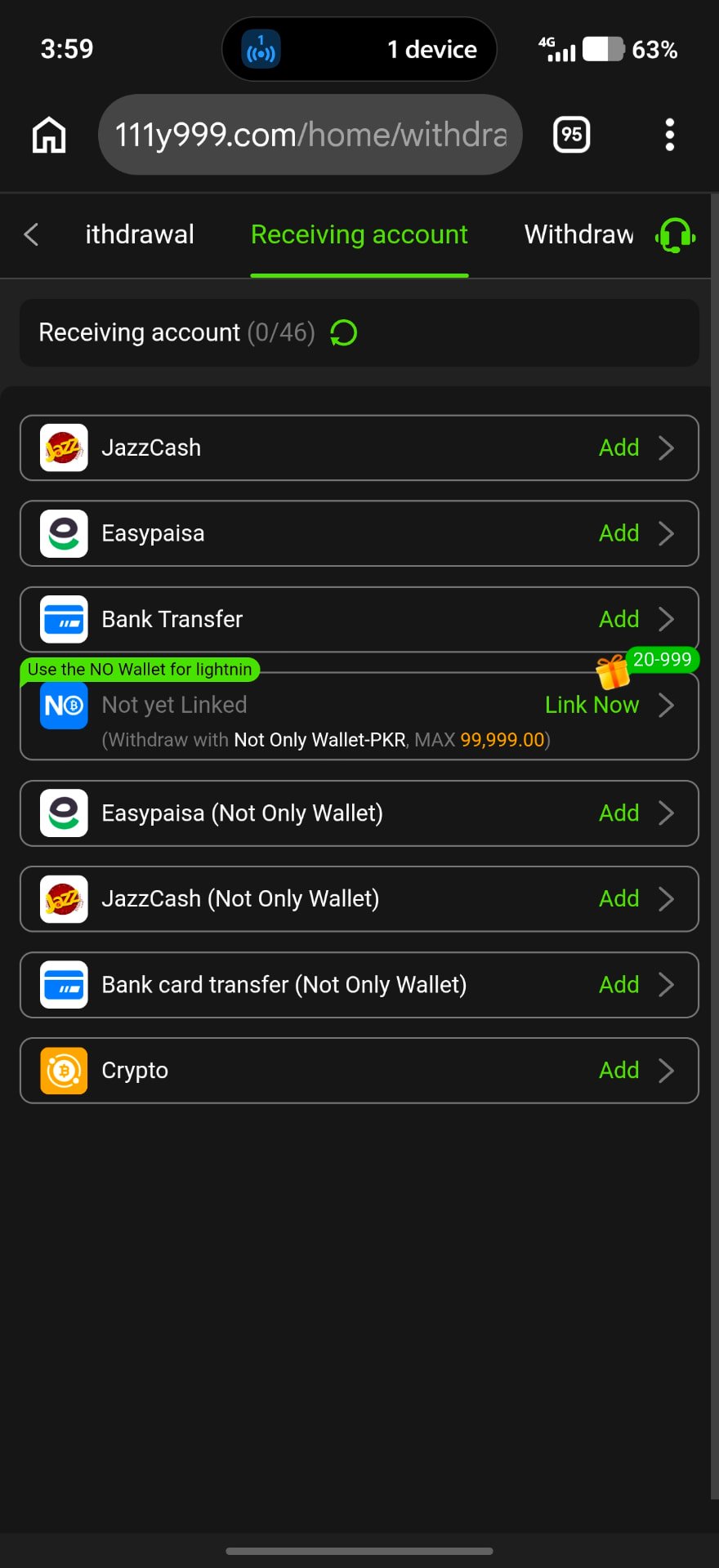
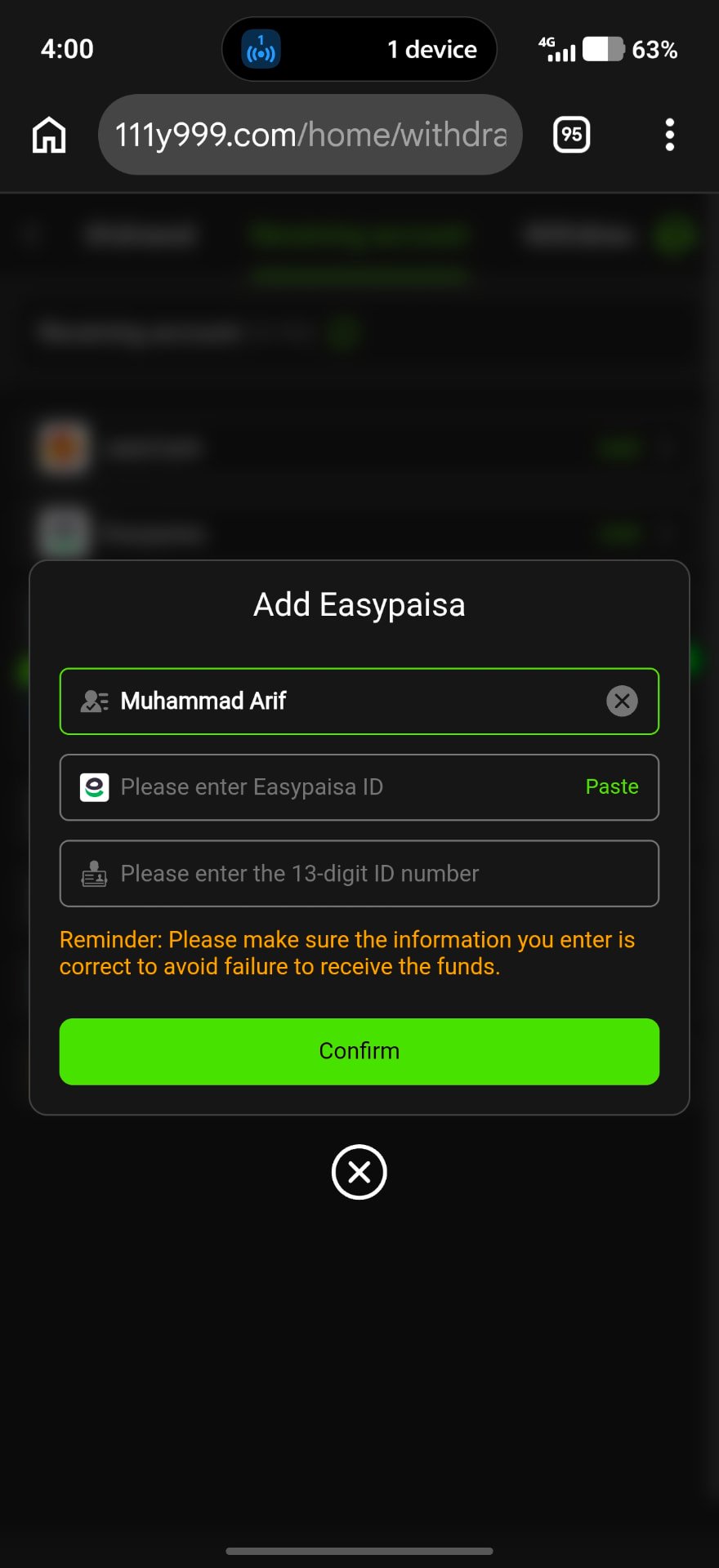
Link your account
Add an Easypaisa or bank account in your own name.
- 3
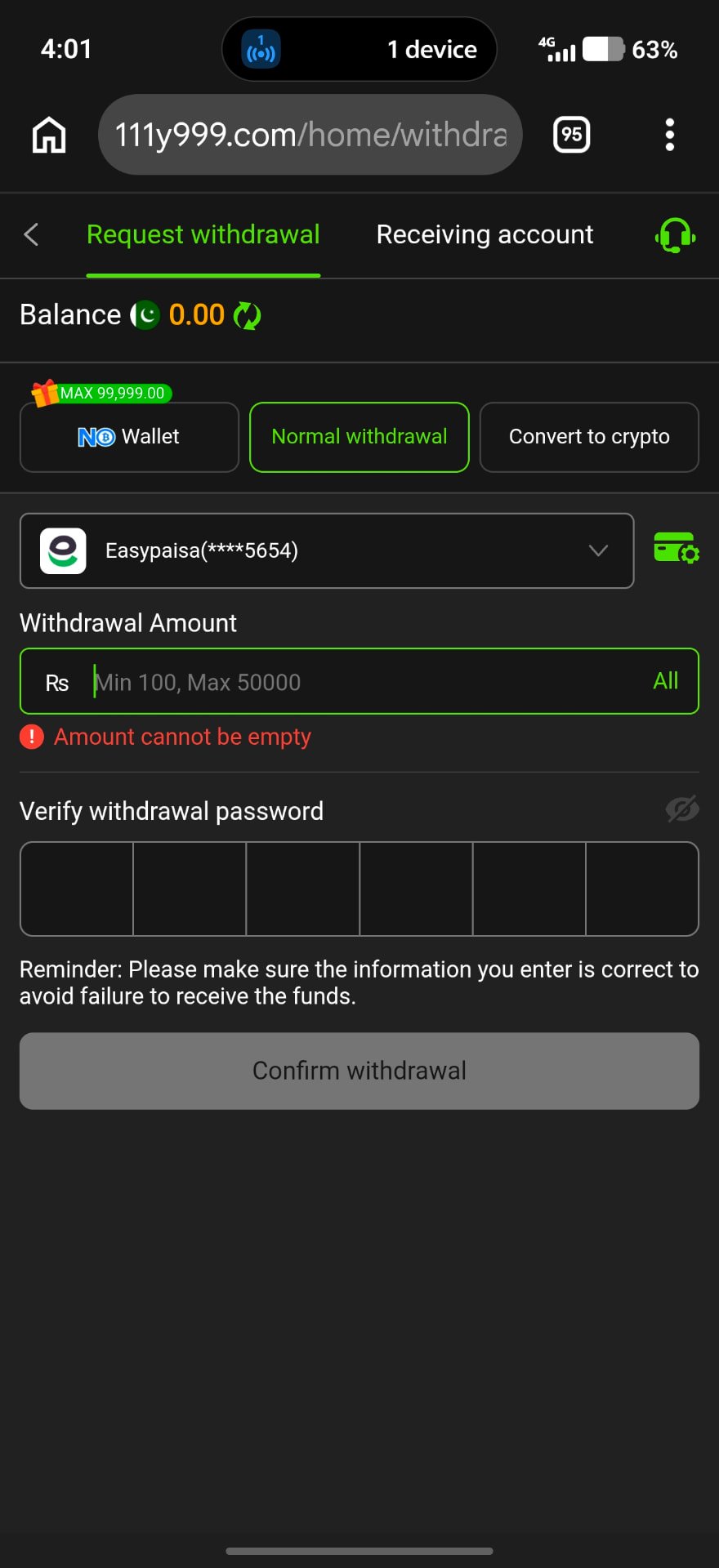
Enter amount and password
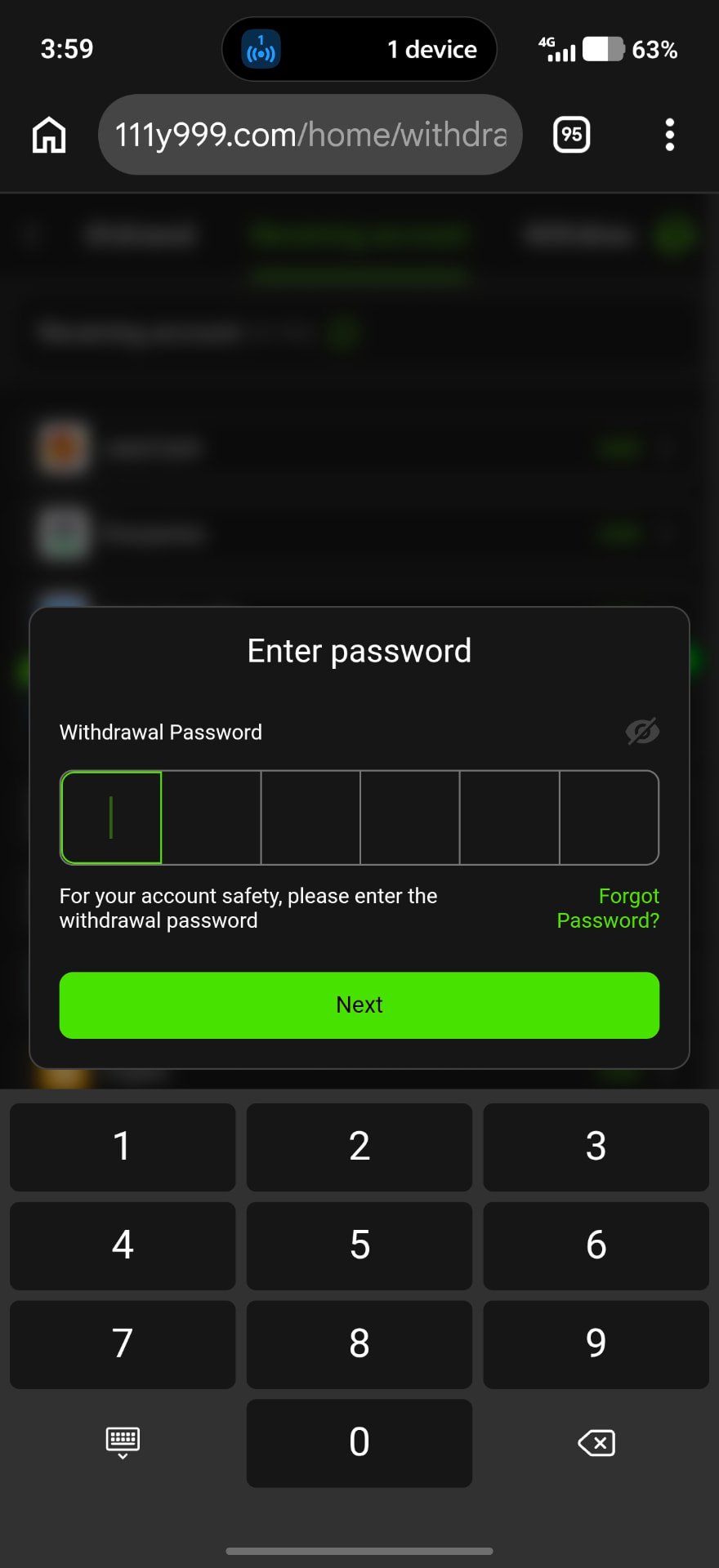
Type the amount, then your 6-digit withdrawal password.
- 4
Submit and track
Check the request status in your records.
Check These Conditions
- Minimum and maximum withdrawal amount
- Wagering requirements on bonus balance
- Account name matches your wallet
- Any processing fee shown
Withdrawal Delayed?
Open Support → Help Center → Withdrawal Issues, or contact Online Services with your request time and amount. Processing time is set by the operator and cannot be guaranteed by this guide.
Frequently Asked Questions
No. It is a separate 6-digit code used only for withdrawals.
Contact in-app customer service to reset it after verification.
Use an account in your own name to avoid rejected requests.