
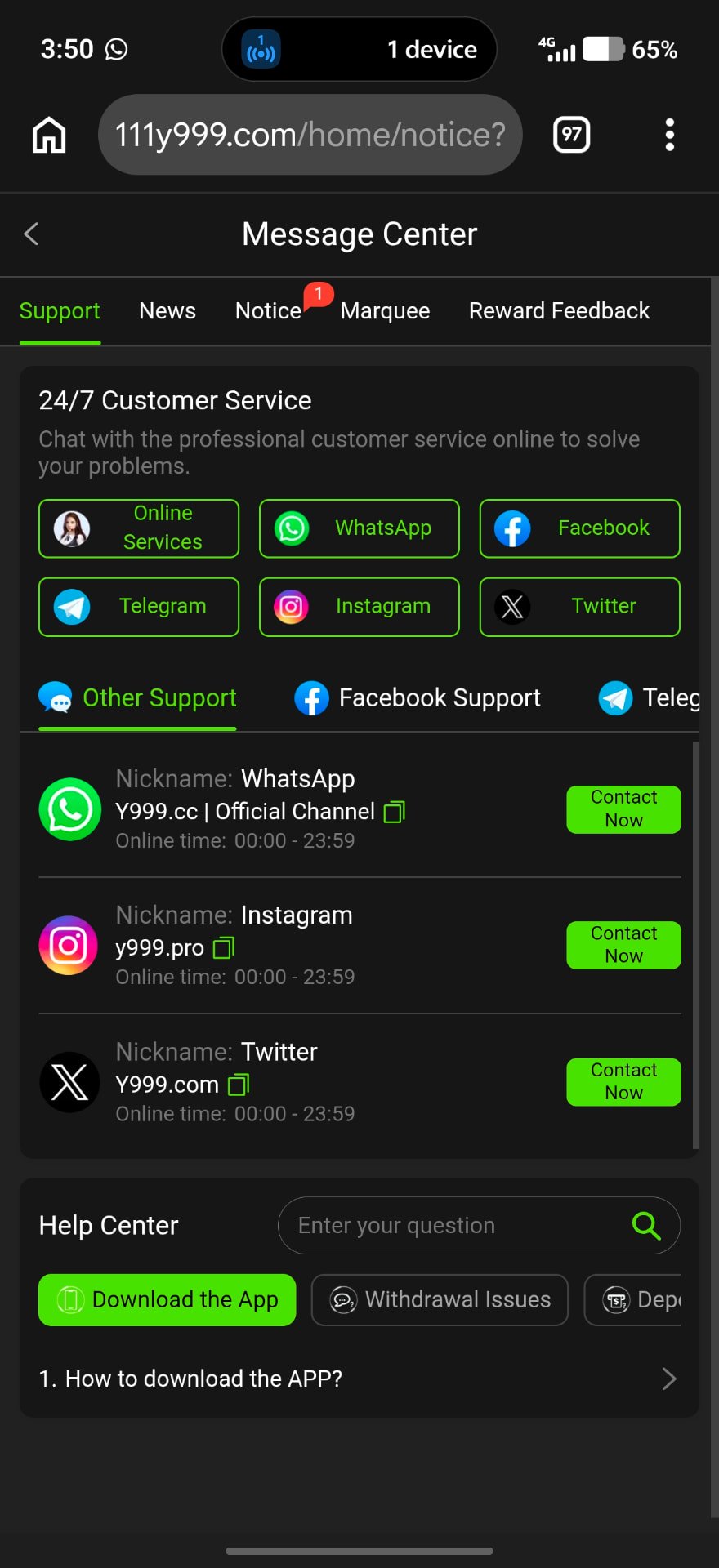
How to Open Support
Tap Support in the bottom menu (or the headset icon on the deposit screen). The Message Center has tabs for Support, News, Notice, Marquee and Reward Feedback.
24/7 Support Channels
Online Services
In-app live chat with the support team.
Nickname “Y999.cc | Official Channel”, online 00:00–23:59.
Telegram
Telegram support tab inside the Message Center.
Facebook Support tab with its listed page.
Listed handle y999.pro.
Twitter (X)
Listed handle Y999.com.
Help Center Topics
Below the channels, the Help Center has a search box and quick topics: Download the App, Withdrawal Issues and Deposit — for example “How to download the APP?”.
Get Faster Help
- Share your user ID, not your password.
- Include amount, time and transaction ID.
- Attach a screenshot of the error.
- Never share OTP or withdrawal password.
- Ignore “agents” who message you first.
Frequently Asked Questions
The app lists 24/7 service, with channels shown online 00:00–23:59.
Online Services inside the app, because you know it comes from the official platform.
No legitimate support agent needs your password, OTP or withdrawal password.